Tessera
The local control room for Claude Code, Codex, and OpenCode: parallel sessions, isolated worktrees, Kanban, Git, and mobile access in one workspace.
- Source repo
- horang-labs/tessera
- Stars
- ★ 315
- Last updated
- today
- License
- AGPL-3.0
- Primary language
- TypeScript
- FA score
- 74/100 · Some gaps
At a glance
- How it runs
- Works with
- Universal · cross-platformCodex · Claude Code
- Cost
- Free software; you pay for model usage
- Setup effort
- Medium · a few setup steps
- You'll need
- Typical use
- A developer running multiple independent coding tasks in parallel who needs each task isolated in its own Git worktree so agents don't collide on the same branch.
- Not a fit if
- Users wanting zero setup: you must install and log in to Claude Code, Codex, or OpenCode first
- Teams needing collaboration or enterprise governance: those features are still in design-partner stage
- Source review
- 74/100 · Some gaps
What does this agent do, and when should you use it?
Tessera is an open-source (AGPL-3.0) local workspace from horang-labs for organizing AI coding sessions across projects, collections, tabs, split panes, and Git worktrees. It turns a pile of terminals into a visible workflow: each task gets its own session and isolated worktree so parallel agents never collide on the same branch. You can mix Claude Code, Codex, and OpenCode sessions in PTY or GUI mode, including custom model IDs. A built-in Kanban board tracks work through Chat, Todo, Doing, Review, and Done, and the session itself covers file editing, diff inspection, commits, sync, branch publishing, and pull requests. Tessera ships as an Electron desktop app, an npm browser runtime, or a Docker Compose deployment, stores data locally under ~/.tessera/ by default, and lets you continue sessions from your phone via remote access.
Tessera detects your installed and authenticated Claude Code, Codex, and OpenCode CLIs and launches PTY or GUI sessions on top of them, keeping conversations, tool calls, and state visible. Invoking /tessera-cli inside a managed session lets a lead agent run operations such as status, worktree create, session launch, session wait/read, and session prompt to create isolated worktrees, launch parallel sessions, wait for results, and send follow-up prompts. The Kanban board supports drag-and-drop task progression with live agent and diff state. Chat View converts a live PTY terminal conversation into a readable thread without stopping the PTY, and the Images tab in a Codex terminal session shows generated images alongside their reference inputs and prompts. The Files/Git panels handle editing, diff review, selective commits, sync, branch publishing, and opening PRs. Mobile pairing via Settings → Remote access lets you continue PTY/GUI sessions and switch a PTY into Chat View from a phone.
- A developer running multiple independent coding tasks in parallel who needs each task isolated in its own Git worktree so agents don't collide on the same branch.
- An engineer using several CLI agents (Claude Code, Codex, OpenCode) who wants to run PTY and GUI sessions side by side in one workspace.
- A mobile worker who wants to check and continue coding sessions from a phone, switching a PTY into Chat View on the go.
- An individual contributor who wants to move agent tasks across a Chat-to-Done Kanban board and finish commits, sync, and PRs without leaving the session.
- A creator using Codex image generation who manages reference inputs, prompts, and results inside the session.
- A power user who wants a lead agent to orchestrate parallel worker agents—creating worktrees, launching sessions, waiting, and appending prompts automatically.
How do you install or deploy this agent?
Three options:
- Desktop app: download from GitHub Releases — Windows (including WSL) portable .exe (unsigned; SmartScreen may warn); macOS .dmg for Apple Silicon or Intel (signed and notarized); Linux beta .deb.
- Browser runtime: requires Node.js 20.9+ (20.x) or Node.js 22–26 and npm 10+:
npm install -g @horang-labs/tesseratessera
Open the printed local URL.
- Docker Compose:
mkdir -p data/config data/local data/ssh data/codex data/tessera workspaces
touch data/gitconfig
docker compose up --build -d
Open http://127.0.0.1:32123. If bind mounts are not writable: sudo chown -R 1000:1000 data workspacesHow do you use this agent?
On first run, the guided setup walks you through: 1) creating a local account for the browser runtime; 2) verifying a supported CLI is installed and authenticated (e.g. claude login, codex login, or OpenCode's configured provider credentials); 3) selecting a project folder; 4) starting a chat or a worktree-backed task. Then invoke /tessera-cli inside a session to have a lead agent orchestrate parallel sessions; drag cards across the Kanban board; click the chat icon in a PTY header to switch to Chat View; pair a phone via Settings → Remote access; and tune configuration with the TESSERA_DATA_DIR, PORT, TESSERA_HOST, LOG_LEVEL, and CLAUDE_CONFIG_DIR environment variables.
What are this agent's strengths and limitations?
- Git worktree isolation lets multiple agents work in parallel without stepping on the same branch — a core differentiator over single-session terminals.
- One workspace supports Claude Code, Codex, and OpenCode CLIs in both PTY and GUI mode, avoiding lock-in to a single agent tool.
- The /tessera-cli lead-agent flow automates worktree creation, parallel session launching, waiting, and result inspection for multi-agent orchestration.
- A complete Git loop — file editing, diff review, commit, sync, branch publishing, and PR opening — happens without switching apps.
- Mobile remote access and PTY Chat View provide session continuity across devices.
- It depends on provider CLIs already installed and authenticated on your machine (claude login, codex login, etc.) and cannot operate without them.
- Windows builds are not code-signed yet, so SmartScreen shows an unknown-publisher warning; Linux is only a beta .deb.
- Published builds include anonymous product-interaction telemetry that must be disabled during onboarding or in Settings.
- Current focus is individual local workflows; team and enterprise features are still in preparation behind a design-partner waitlist.
- The browser runtime requires recent Node.js versions (20.9+ 20.x or 22–26) and npm 10+.
How does this agent compare with similar options?
Key facts side by side with the most closely related agents.
| Agent | Source review | Form / cost | Stars | Updated | Language | Full support on |
|---|---|---|---|---|---|---|
| Tessera This agent | 74 · Some gaps | Desktop appFree + model costs | ★ 315 | today | TypeScript | Codex · Claude Code |
| Nimbalyst Visual Coding Workspace | 50 · Major gaps | Desktop appFree + model costs | ★ 2k | today | TypeScript | Codex · Claude Code |
| Cezar — AI Coding Agent Orchestrator | 63 · Some gaps | CLIFree | ★ 834 | today | TypeScript | Codex · Claude Code |
| Vicoa | 52 · Major gaps | Desktop appFree + model costs | ★ 522 | 1d ago | Python | Codex · Claude Code |
How does FollowAgents rate this agent?
Why each dimension lost points
Evidence shows a local-first design: default 127.0.0.1 binding, data under ~/.tessera, opt-out telemetry with explicit exclusions — least_privilege, data_flow_transparency, sensitive_data_handling at 2. Agent actions that write files, commit, publish branches, and open PRs lack documented user-confirmation mechanisms (governance is roadmap-only), so user_confirmation is 1. No backup/restore story exists, so rollback is 1. Dependencies are precisely pinned including native modules, but no audit/lockfile evidence — dependency_security 2. Side effects via installed provider CLIs and git are visible in-product, external_effects 2. Author, repo, and license attribution are clear — source_attribution 3.
README and package. are largely consistent, but there are small contradictions: package. says 0.2.3 while README references a v0.2.4 release asset, and SECURITY.md is an unfilled template listing 5.1.x support — self_consistency 2. Engines are explicit with npm and Docker paths documented — dependency_availability 2. Tests show careful failure-path handling (GUI close failure not blocking PTY, uncached WSL probe failures) — failure_messages 2.
Audience (individual local parallel-agent workflows) and scenarios (Claude Code/Codex/OpenCode, PTY/GUI, mobile) are well described — audience_and_scenarios 3. Explicit statement that the product focuses on individual local workflows today — capability_boundaries 2. /tessera-cli trigger and representative subcommands are listed but without full reference docs — trigger_precision 2. Cross-platform coverage including an unusually thorough WSL path-bridge test suite — environment_fit 3.
Clear document structure (install, first run, env vars, privacy, roadmap, license) — information_architecture 3. Three install paths with concrete commands and troubleshooting — install_notes 3. Stable naming — naming_stability 3. No FAQ; examples are GIF-led with few command-level examples — examples_and_faq 2. Known limitations only mention unsigned Windows builds — known_limitations 2. Full AGPL-3.0 text consistent with package. — license 3. No CHANGELOG file, only a docs/releases convention — versioning_changelog 2. Maintainer contact and release pipelines exist, but the unfilled SECURITY.md weakens the evidence — maintenance_responsibility 2.
The product is focused on session visibility, context preservation, and a closed Git loop — output_usability 3. Parallel sessions plus isolated worktrees plus Kanban give clear marginal value over raw terminals — marginal_value 3. Runs locally with no API cost, but no quantified cost/benefit discussion — cost_benefit 2.
Most claims map to in-repo files (scripts, workflows, tests) — claim_traceability 2. README, package., and CI workflows corroborate most facts, though the version mismatch and template SECURITY.md are inconsistency points — cross_source_corroboration 2. Telemetry non-collection claims are statically unverifiable assertions, reasonably but not systematically separated from facts — fact_inference_separation 2.
- SECURITY.md is an unfilled template; the vulnerability reporting channel and supported-version table cannot be trusted — verify via the repository Issues.
- package. version (0.2.3) conflicts with the README's referenced v0.2.4 release asset; verify the actual release tag before installing.
- Windows desktop builds are unsigned; SmartScreen will warn about an unknown publisher, and publisher identity is unverified in the curated registry.
- Telemetry is on by default (opt-out during onboarding or in Settings); the claim that no prompts/paths are collected is statically unverifiable — sensitive-environment users should evaluate independently or disable it.
- Agents can perform outward-facing git actions (commit, push, open PRs) with no documented confirmation/approval mechanism; confirm workspace and credential isolation before production use.
- Details of the mobile remote-access pairing feature are not visible in the provided files; review its authentication implementation before exposing the service on a network.
Recent releases
Latest entries from the project's GitHub Releases. Notes are quoted from upstream as written, not rewritten or tested by FollowAgents.
-
Release notes excerpt
Tessera v0.2.4 Review generated images, work across sessions, and manage projects across branches. Highlights - Projects & Worktrees — See your project's Sessions across branches and switch branches without leaving Tessera 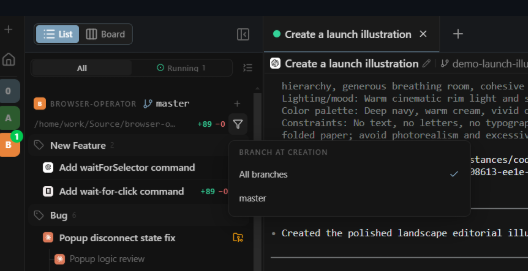 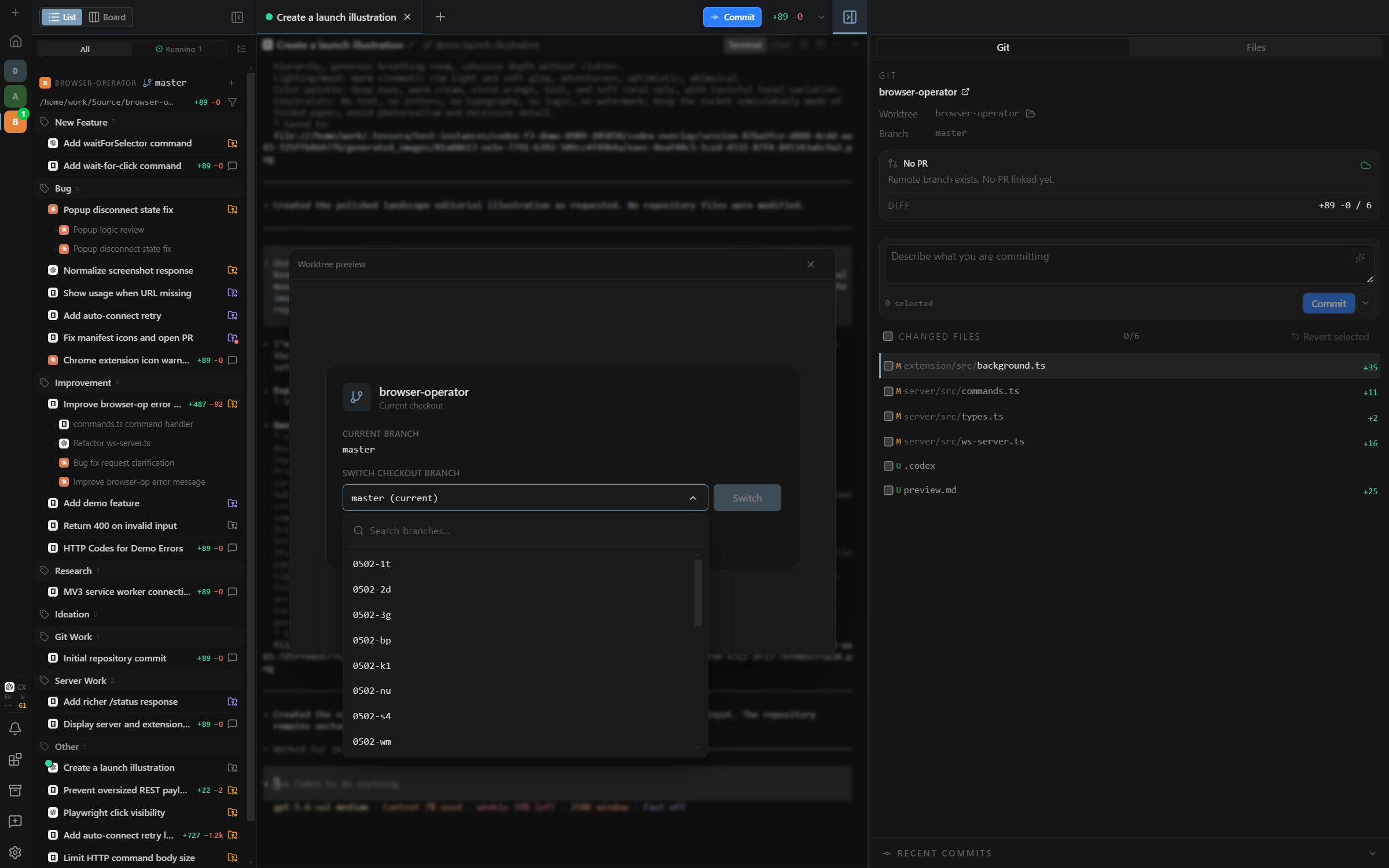 - Session creation — Start a new Session in a Worktree you already use …View on GitHub ↗ -
Release notes excerpt
Tessera v0.2.3 Let agents operate Tessera itself, use Tessera from your phone, and ship changes from the Git panel. Highlights - Tessera CLI — Lets agents operate Tessera itself—for example, create isolated Worktrees and Sessions for multiple tickets, monitor progress, and coordinate parallel delivery. Use: enable it in Settings → Development, then invoke /tessera-cli in a managed agent Session - Key commands: tessera status, tessera worktree create, tessera session launch, tessera session wait, tessera session read, tessera session prompt …View on GitHub ↗ -
Release notes excerpt
Tessera v0.2.2 Run coding agents in a real terminal, preview sessions with Kanban Peek, and a Windows/WSL optimization pass. Highlights Coding Agents in Terminal Mode 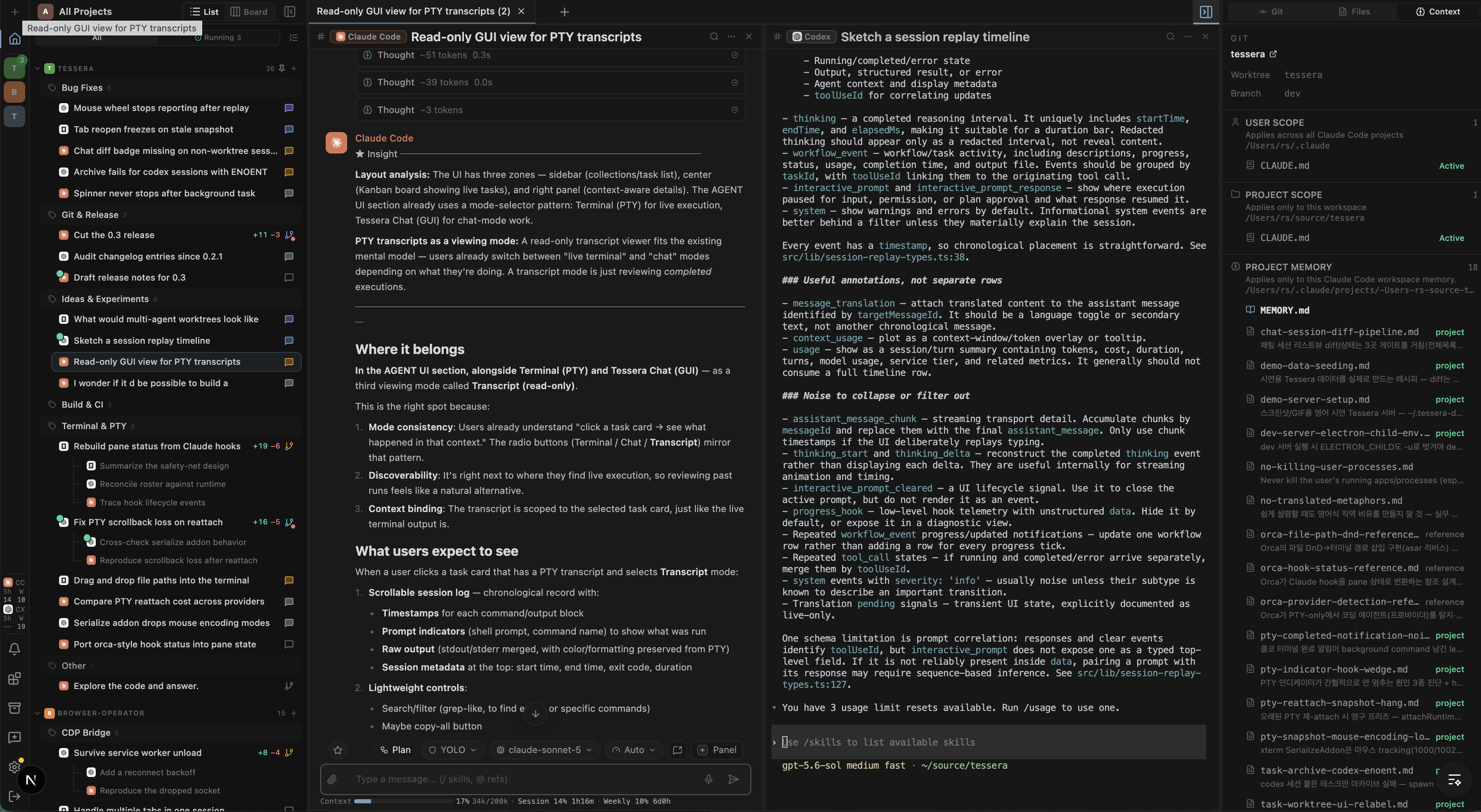 Everything Tessera already does stays — now you can also run agents in a real terminal. - Run Claude Code, Codex, and OpenCode in a real terminal (PTY) — TUI and all, not just headless …View on GitHub ↗